Sikkim Game Refer & Earn
Sikkim Game Refer & Earn: share your code, earn a reward
Your own Sikkim Game referral code, shared with friends, can unlock a reward when they join — here's the mechanic, not the marketing.
The basics
How the referral program works
Your own code
Found under Profile or Invite Friends — different from any code you entered when you signed up.
Share it directly
Send it to people you know rather than posting it publicly, where anyone could use it without your intent.
Earn when they join
Rewards are usually credited once a friend registers or completes a first action — terms vary by the live campaign.
Step by step
From sharing to earning
- 1
Find your own referral code
Usually listed under Profile, Invite Friends, or Refer & Earn inside the official app — it's different from any code you entered at sign-up.
- 2
Share your code or link
Send it directly to friends, or share the referral link the app generates, instead of posting it publicly where strangers can use it.
- 3
Wait for your friend to join
They enter your code while registering — see our Invite Code guide for exactly where that field sits.
- 4
Check your rewards tab
Referral bonuses are usually credited automatically once the condition for that campaign is met.
Real screenshots
What the Agency dashboard and reward tiers actually look like
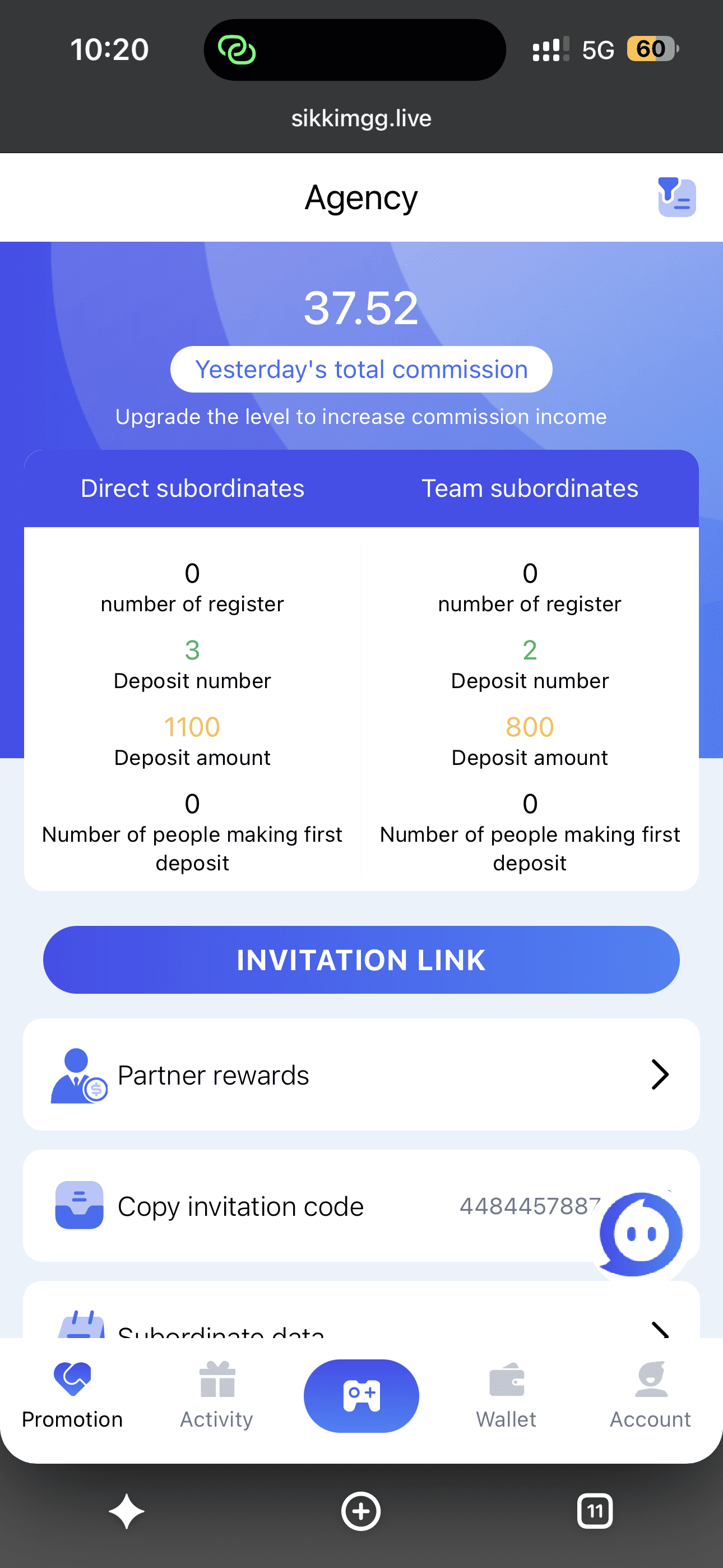
Agency dashboard
Your Agency dashboard is where the Refer & Earn numbers actually live — yesterday's commission total up top, then a split between Direct subordinates and Team subordinates, each tracking registrations, deposit counts and deposit amounts separately. The Invitation Link button sits front and center, ready to share the moment you want to start earning.
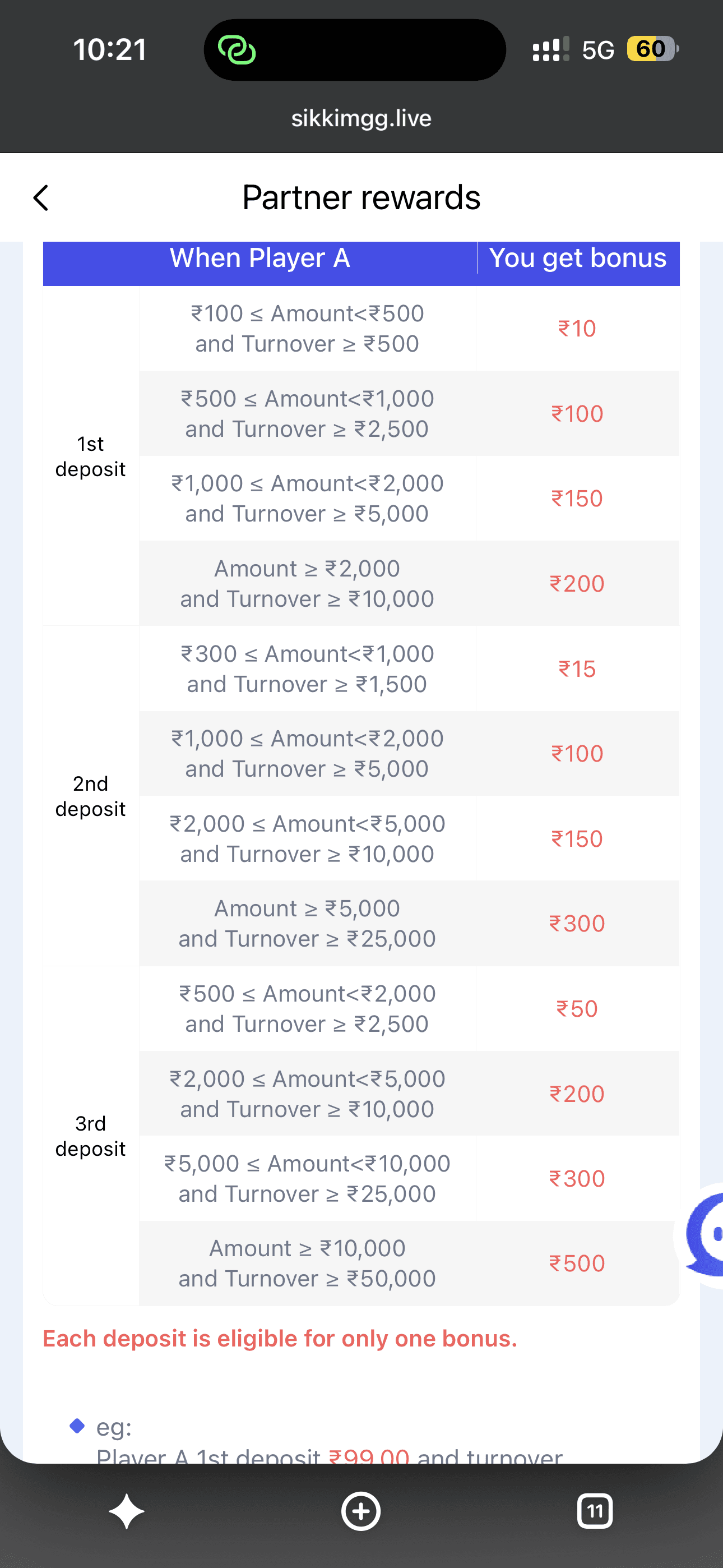
Partner rewards table
The Partner Rewards table spells out exactly what a referral is worth: each of a friend's first three deposits unlocks its own bonus tier, scaling from a modest ₹10 on a small first deposit up to ₹500 once someone deposits ₹10,000 or more with matching turnover. One bonus per deposit — no stacking, no fine print beyond what is shown on the screen itself.
FAQs
Refer & Earn questions, answered
Where do I find my own referral code?
Look in your profile or account settings for an Invite Friends or Refer & Earn section — it generates a personal code or link you can share.
When exactly do I get credited for a referral?
It depends on the current campaign — some credit as soon as a friend registers, others require the friend to complete a first deposit or round. Check the terms shown on the Refer & Earn screen itself.
What's the difference between Refer & Earn and an Invite Code?
Refer & Earn is about sharing your own code to earn a reward. Invite Code is about entering someone else's code, usually at sign-up. See our Invite Code guide for that side of it.
Is there a limit to how many people I can refer?
Most platforms don't cap the number of friends you can refer, but individual campaigns can carry their own limits or expiry dates — read the specific offer before assuming it's unlimited.
Related
Every guide on this site
All of it, one tap away — login, register, codes, games, and the fine print.
Ready to share your code?
Sign in to find your personal referral code and start inviting friends.